

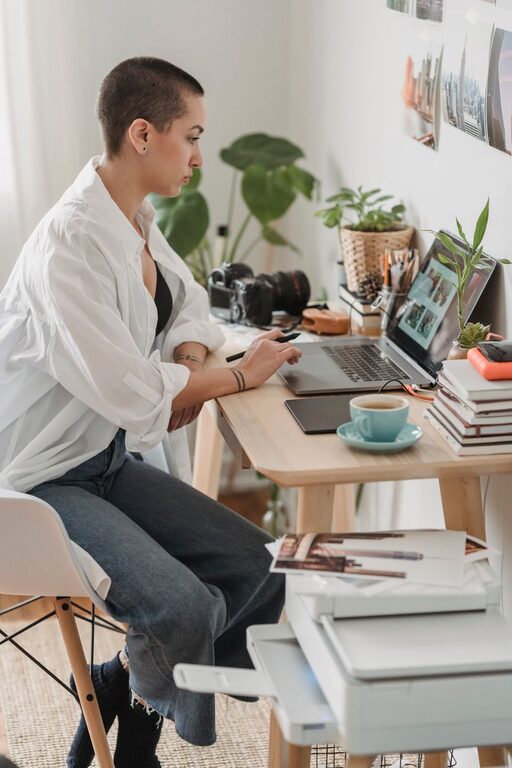
Creating a productive home workspace is essential for anyone who spends significant time working from home. Whether you’re a full-time remote worker or need a dedicated area for occasional tasks, the environment you set up can greatly impact your focus, comfort, and overall efficiency. In this post, we’ll explore practical tips to help you create a home workspace that supports your productivity and well-being.
Why a Productive Home Workspace Matters
Working from home offers flexibility, but it also presents challenges like distractions, lack of boundaries, and discomfort. A well-organized and thoughtfully designed workspace can help you:
– Stay focused and minimize interruptions
– Maintain a healthy posture and reduce fatigue
– Separate work time from personal time
– Feel motivated and professional
Choosing the Right Location
The first step to a productive home office is selecting a suitable spot in your home. Consider these factors:
Quiet and Low-Traffic Area
Aim for a space away from noisy appliances, televisions, and high-traffic areas in your home. This helps reduce distractions and interruption.
Natural Light
Whenever possible, choose a location with natural light. Exposure to daylight helps regulate your circadian rhythm and keeps you alert. Position your desk near a window but avoid glare on your screen.
Adequate Space
Make sure there is enough room for your desk, chair, and any equipment you use. Having sufficient space enables you to organize your essentials and move comfortably.
Ergonomic Furniture and Setup
Your furniture and how you set it up are crucial for comfort and long-term health.
– Desk: Opt for a desk at a height where your elbows can rest comfortably at about 90 degrees when typing.
– Chair: Use an adjustable chair with good lumbar support. Your feet should rest flat on the floor or on a footrest.
– Monitor Position: Place your computer monitor at eye level, about 20-30 inches away, to avoid neck strain.
– Keyboard and Mouse: Keep them within easy reach and at a height that allows your wrists to remain straight.
Consider investing in ergonomic accessories like an adjustable keyboard tray or a monitor stand.
Organizing Your Workspace
An organized workspace reduces stress and saves time spent searching for items.
Declutter Regularly
Keep only the essentials on your desk. Use cable organizers to manage cords and avoid clutter.
Storage Solutions
Use shelves, filing cabinets, or desk organizers to store documents and supplies neatly.
Personal Touches
Adding a few personal items like a plant or picture can make your workspace pleasant but avoid overcrowding.
Optimizing Lighting and Ambience
Good lighting prevents eye strain and creates a comfortable atmosphere.
– Combine natural and artificial light sources.
– Use adjustable desk lamps with soft, warm light for evening work.
– Avoid harsh overhead fluorescents.
– Control glare by adjusting blinds or using an anti-glare screen cover.
Minimizing Distractions
To maintain focus throughout the day:
– Turn off non-work-related notifications on your devices.
– Use noise-canceling headphones or play gentle background music if ambient noise is distracting.
– Establish clear boundaries with family or housemates about your work hours.
Maintaining a Routine
Your workspace should support consistent work habits.
– Start and end work at regular times.
– Take short breaks to stretch or walk around.
– Keep a to-do list or planner visible to track tasks.
Staying Connected and Motivated
While the physical space matters, staying connected with colleagues and maintaining motivation is also key.
– Use video calls and chat apps to collaborate.
– Set goals and reward yourself for achievements.
– Occasionally refresh your workspace setup to keep it engaging.
Final Thoughts
Creating a productive home workspace is a mix of practical decisions and personal preferences. By choosing the right spot, investing in ergonomic furniture, organizing your area, and controlling lighting and distractions, you can build a comfortable environment that boosts your efficiency and well-being. Start small, make adjustments, and enjoy the benefits of a workspace tailored just for you.